
 EN
EN Best Etsy Listing Photo Size 2026: Dimensions & Practices
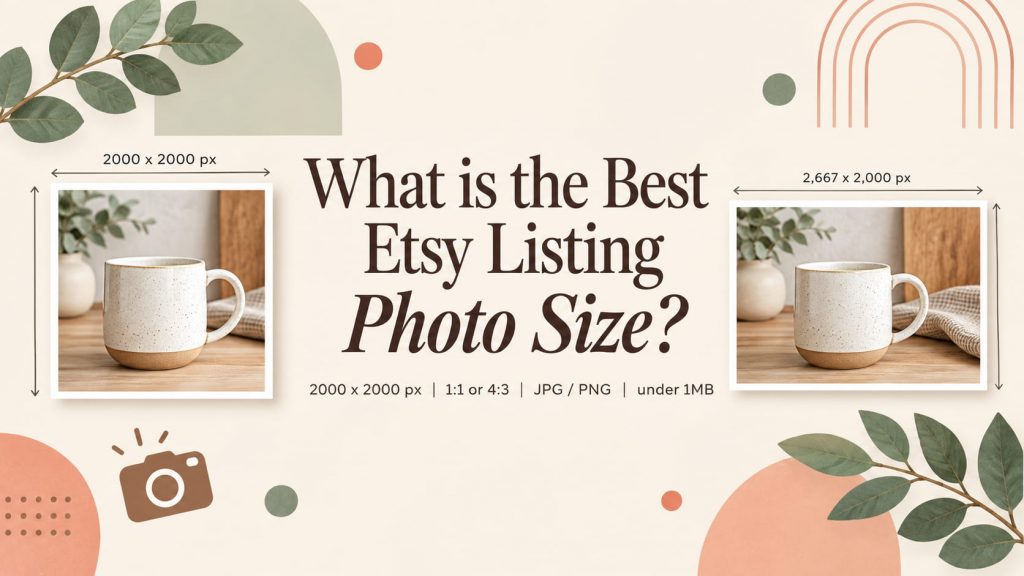
Are you still unsure about the right Etsy listing photo size for your products? Etsy currently recommends that listing photos have a width and height of at least 2,000 pixels. Professional Etsy listings require more than high-quality photos, proper dimensions, aspect ratio, file format and composition help shoppers clearly view your products. This blog covers Etsy listing photo size requirements, recommended dimensions for different image types, file formats, and how Etsy handles image cropping.
Table of Contents
- Why Etsy Listing Photo Size Matters for Sales?
- What Is the Recommended Etsy Listing Photo Size?
- What Is the Best Etsy Listing Photo Aspect Ratio?
- Etsy Listing Photo File Format, and File Size
- How to Resize Photos for the Right Etsy Listing Photo Size?
- Common Etsy Listing Photo Size Mistakes
- Bonus: How Can You Improve Your Etsy Listings
- FAQ
- Conclusion
Why Etsy Listing Photo Size Matters for Sales?
When shoppers browse Etsy, your product images are often the first thing they notice. Before reading your title or description, buyers use your photos to decide whether a product looks relevant, attractive, and worth clicking.
Create a Professional and Visually Appealing Listing
Image dimensions affect how your products appear in Etsy search results, listing pages, and on mobile devices. Photos with the right proportions and sufficient resolution can make your products look clear and professional, while poorly sized images may appear blurry, distorted, or awkwardly cropped.
A well-composed image also helps shoppers understand your product at a glance. By choosing suitable dimensions, keeping the product centered, and leaving enough space around the edges, you can create a more consistent visual experience and make important product details easier to see.
Meet Etsy's Listing Photo Requirements
Etsy has specific guidelines for listing images. According to Etsy's official recommendations, listing photos should have a width and height of at least 2000 pixels. Etsy also recommends that the first listing photo be at least 635 × 635 pixels to avoid being displayed smaller in search results. Images larger than 1 MB may also encounter upload issues, especially with a slow internet connection.
The right Etsy listing photo size helps you create attractive product images while meeting Etsy's technical recommendations. Both are important steps toward presenting your products professionally and giving shoppers a better browsing experience.
What Is the Recommended Etsy Listing Photo Size?
Etsy's Current Listing Photo Size Requirements
According to Etsy's current image guidelines, listing photos should have a width and height of at least 2,000 pixels.
Here is a practical summary:
| Etsy Listing Photo Specification | Recommended Approach |
| Minimum recommended dimensions | 2,000 × 2,000 px or larger |
| Shortest side | At least 2,000 px |
| First photo orientation | Landscape or square |
| Recommended Aspect Ratio | 4:3 (Landscape) or 1:1 (Square) |
| Supported image formats | JPG, PNG, GIF |
| File size | Below 1MB |
| Color mode | sRGB |
| Resolution | 72 PPI |
| Number of images per listing | 10 maximum and 5 minimum |
Etsy notes that images larger than 1 MB may have difficulty uploading, particularly with slower internet connections. Etsy also compresses images for performance and mobile display, so uploading an extremely large file does not necessarily mean buyers will see the original file at its full resolution.
The Size Recommendations and Requirements for Each Type of Image
Listing photos are the core of your Etsy shop. Banners, thumbnails and other visuals follow separate Etsy sizing requirements, all working to build a cohesive, professional storefront.
Here’s a guide to all Etsy image sizes:
| Image Type | Recommended Dimensions (px) | Purpose |
| Listing Photo | 2000 × 2000 | Main product image |
| Shop Icon | 500 × 500 | Your brand identity at first glance |
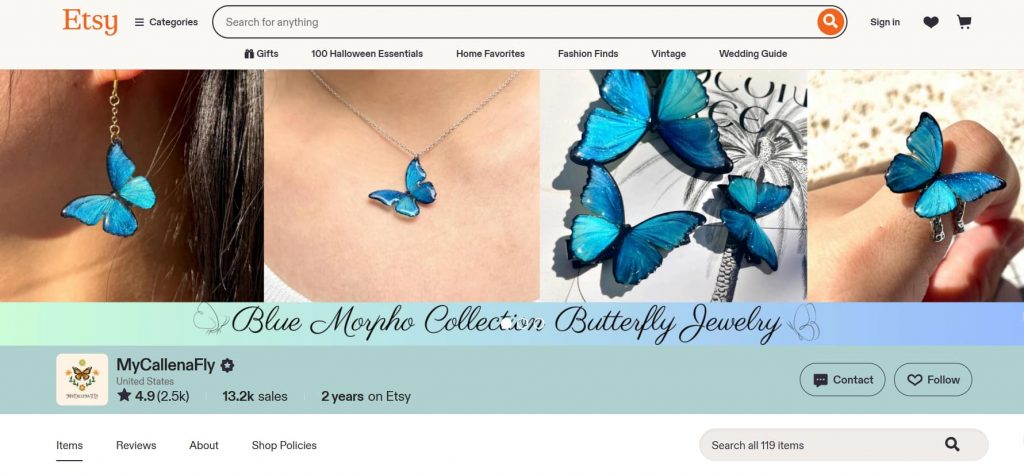
| Thumbnail Image | 570 × 456 | What shows in search results |
| Profile Photo | 400 × 400 | Identifies you as the shop owner |
| Team Logo | 170 × 100 | Represent an Etsy team |
| Order Receipt Banner | 760 × 100 | Displayed on customer receipts |
| Mini Shop Banner | 1600 × 213 | A compact visual introduction |
| Big Shop Banner | 1600 × 400 | Showcase your brand at the top |
| Carousel Banner | 1200 × 300 per image | Highlight multiple products |
| Collage Banner | 2 images: 600 x 300 3 images: 400 x 300 4 images: 300 x 300 |
Display multiple products in one view |
What Is the Best Etsy Listing Photo Aspect Ratio?
Pixel dimensions refer to how large an image is, while aspect ratio describes its shape. For example, a 2,000 × 2,000 px image has a 1:1 aspect ratio. A 2,667 × 2,000 px image has an aspect ratio of approximately 4:3. Aspect ratio matters because Etsy may display or crop your listing images differently in different areas of the marketplace.
1:1 Square Images
A 1:1 square image is one of the simplest options for Etsy sellers.
Square images are particularly useful when the product can be positioned comfortably in the center of the frame. They also make it relatively easy to reuse images on other visual platforms.
A square format can work well for:
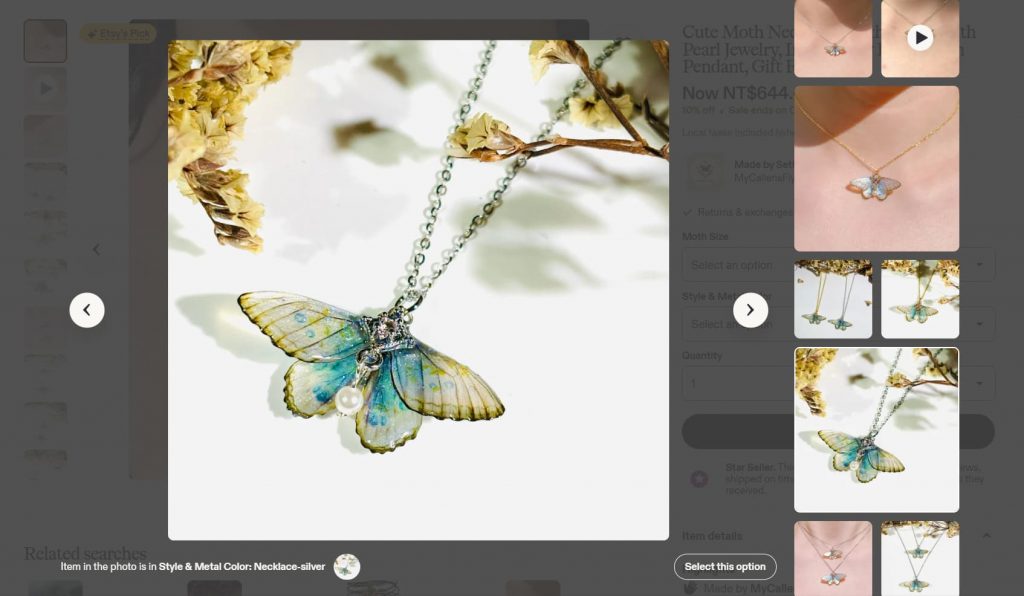
- Jewelry
- Small handmade products
- Crafts
- Digital products
- Accessories
- Simple product photography
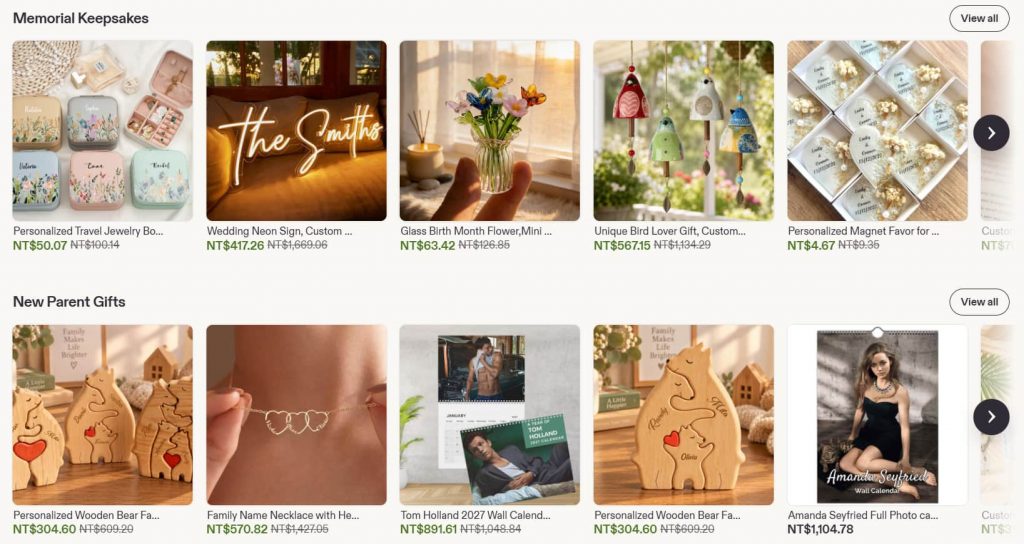
Square is not the only option. Etsy's own guidance currently states that the first listing image should be horizontal or square, with enough border around the subject to accommodate different crops.
4:3 Landscape Images
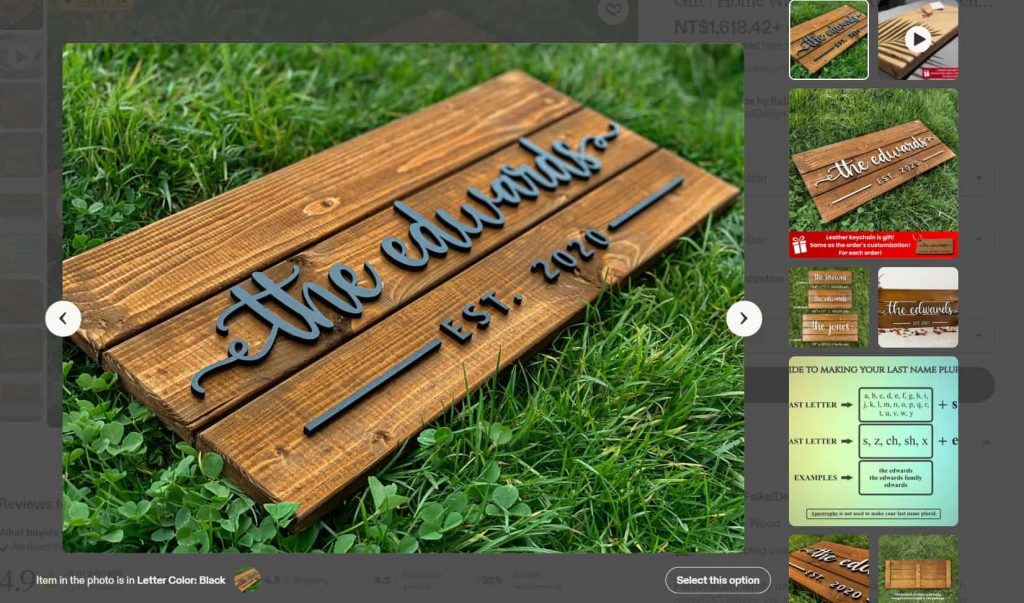
A 4:3 landscape image provides more horizontal space than a square image.
This format can work particularly well for:
- Wall decoration
- Home decoration
- Clothing
- Furniture
- Lifestyle product photography
A landscape image also gives you more room to photograph the complete product without placing it too close to the edges.
3:2 Landscape Images
The 3:2 ratio is another common format, especially when the image comes directly from a digital camera.
You do not need to crop every photograph into 4:3 simply because another seller uses that ratio. If your original product photography already uses 3:2, you can keep that ratio as long as the image remains large enough and the product is positioned safely within the frame.
Which Aspect Ratio Should You Choose?
There is no universal aspect ratio that is best for every Etsy product. Instead, consider the product shape, composition, and how much space you need around the subject.
| Aspect Ratio | Example Dimensions | Suitable For | Main Advantage |
| 1:1 | 2,000 × 2,000 px | Jewelry, crafts, digital products | Simple and versatile |
| 4:3 | 2,667 × 2,000 px | Home decoration, clothing | More horizontal space |
| 3:2 | 3,000 × 2,000 px | Camera-style product photography | Natural photography ratio |
| 4:5 | 2,000 × 2,500 px | Tall products | More vertical space |
Etsy Listing Photo File Format, and File Size
Correct dimensions are only one part of preparing an Etsy listing image. Alongside proper width and height, you must also pay close attention to file format and file‑size constraints. These two factors directly affect upload success, page performance, and how customers view your product photos on Etsy’s marketplace.
Which File Format Is Best for Etsy?
Etsy currently supports JPG, GIF, PNG image files. For most Etsy sellers, JPG is a practical choice for traditional product photography because it provides a good balance between image quality and file size. PNG can be more appropriate for graphics, illustrations, or certain digital-product visuals where maintaining sharp edges is important.
| Format | Best Use | Main Consideration |
| JPG | Product photography | Smaller file size and efficient compression |
| PNG | Graphics and illustrations | Higher file sizes |
| GIF | Limited static-image use | Animated GIFs aren't supported |
For a typical handmade product photographed with a camera or smartphone, JPG is usually the simplest option. Etsy’s upload system does not currently support WebP files. Be sure to convert your WebP images to JPEG or PNG formats prior to upload.
What About File Size?
Etsy states that images larger than 1 MB may not finish uploading, particularly when the internet connection is slow.
Use sRGB for More Consistent Colors
Color may change between your original file and the uploaded image. Etsy recommends converting images to the sRGB color profile if colors appear incorrectly after uploading.
This is especially important for products where color accuracy matters, such as:
- Clothing
- Jewelry
- Artwork
- Home décor
- Personalized products
How to Resize Photos for the Right Etsy Listing Photo Size?
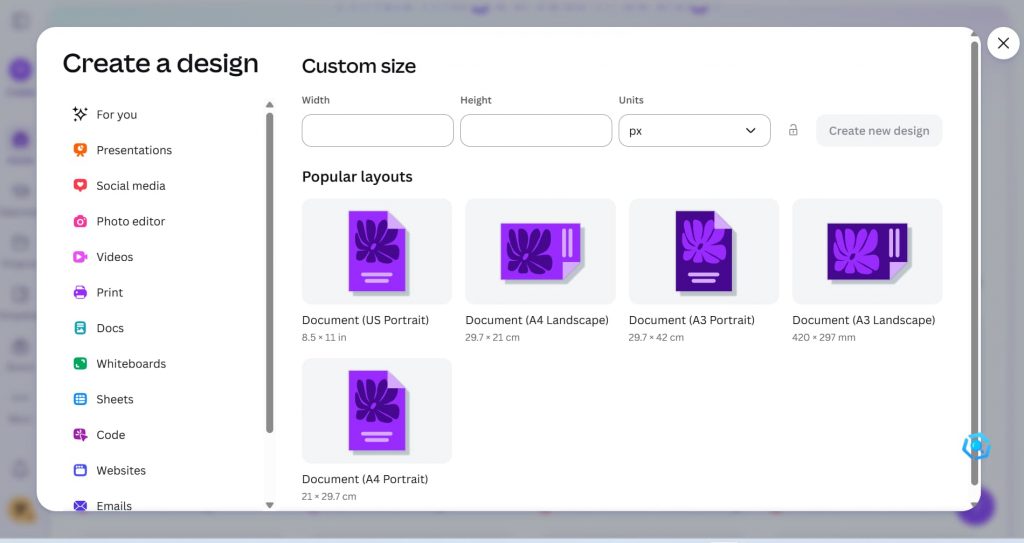
If your original photo does not meet Etsy's recommended dimensions, you can resize it using tools such as Canva, Photoshop, or built-in image editors.
Resize to 2,000 × 2,000 px
If you want to create a square listing image:
- Create a 2,000 × 2,000 px canvas.
- Add your original product photo.
- Adjust the image so the entire product remains visible.
- Leave enough space around the subject.
- Export the finished image.
- Check the image quality before uploading.
Tools such as Canva provide custom resizing options, making this process relatively straightforward.
Resize While Maintaining the Original Ratio
If your original image is 4:3, you can use a dimension such as: 2,667 × 2,000 px.
If it is 3:2, you could use: 3,000 × 2,000 px.
The important thing is to maintain the original aspect ratio rather than stretching the image.
It is worth noting that decreasing the size of an image will not reduce its resolution. However, increasing the size of an image may degrade resolution and cause pixelation.
Common Etsy Listing Photo Size Mistakes
Using a Portrait Image as the First Photo
Etsy recommends that the first listing image be horizontal or square. Vertical images have more information that may need to be cropped away in thumbnail views.
If you have a portrait product, such as a tall vase, you can still photograph it vertically. The important point is to compose the image with enough surrounding space so the product remains visible when cropped.
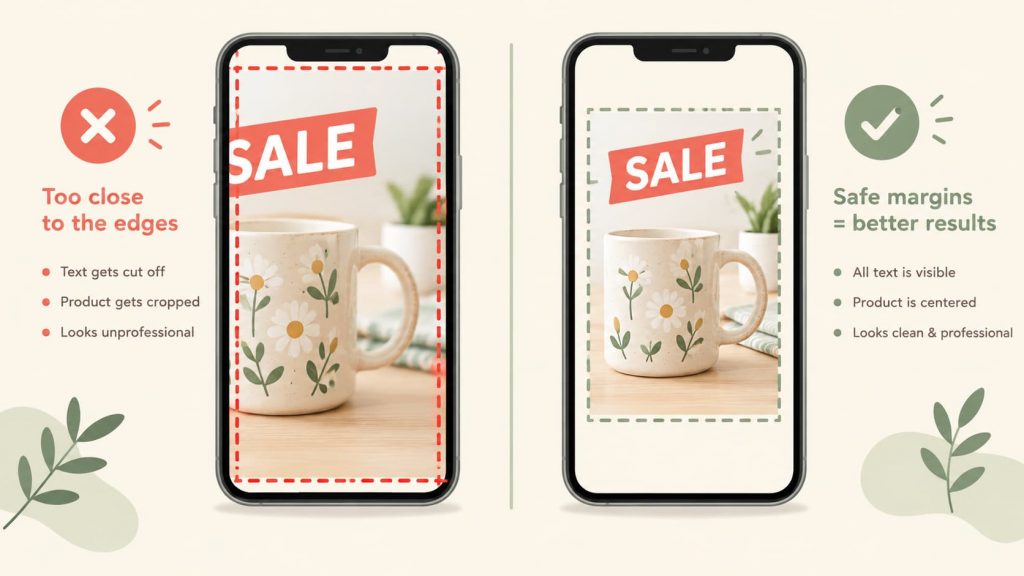
Placing the Product and Text Too Close to the Edge
This is one of the easiest problems to prevent. Give the product some room to avoid cropping.
Text near the edges may disappear when Etsy crops the image. Keep important text toward the center and make sure it is large enough to read on mobile.
Uploading Low-Resolution Photos
Images that are too small may become blurry when displayed or enlarged. Etsy recommends high-quality images so that buyers can clearly see the details of the product.
Stretching Images to Change the Aspect Ratio
Never distort the product simply to achieve a particular pixel dimension. Maintain the original proportions whenever possible.
Bonus: How Can You Improve Your Etsy Listings
Optimizing your Etsy listings involves more than choosing the right photo dimensions. High-quality visuals, clear product presentation, and effective market research can all help you create more appealing listings.
EHunt makes product visual creation easier with its new AI-powered image and video generation feature. Instead of spending hours on product photography and video editing, simply upload your original product images, describe the results you want, and let EHunt AI generate polished Etsy product image sets and videos. This helps reduce production effort and makes it easier to create engaging visual content for your listings.
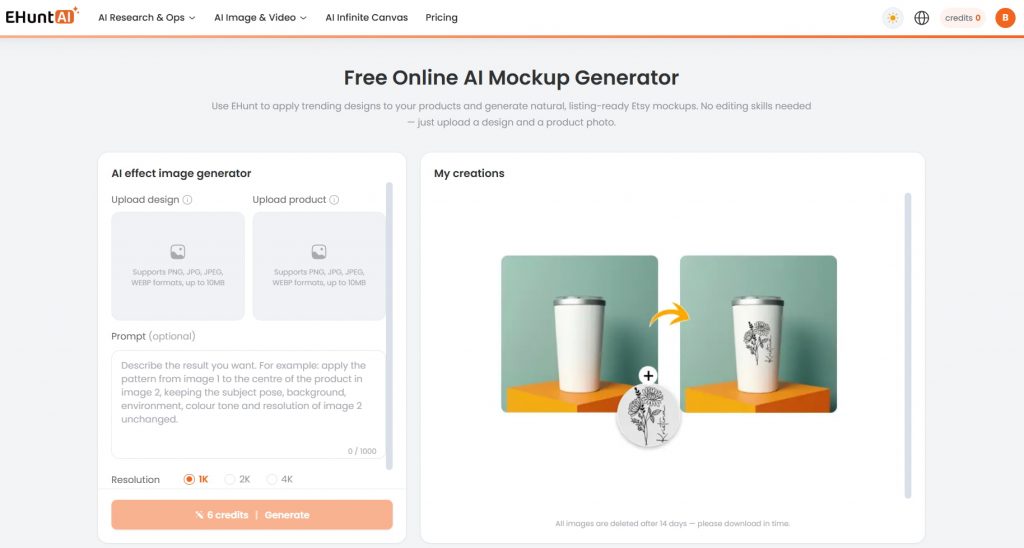
With EHunt, Etsy sellers also can research products, explore market trends, analyze competing listings, and evaluate product data such as sales and favorites on Etsy. These insights can help sellers understand what products are attracting shopper attention and how competing listings are positioned, you can make more informed decisions about your own product strategy.
FAQ
What is the best Etsy listing photo size?
Etsy recommends listing photos with a width and height of at least 2,000 pixels. A practical starting point is 2,000 × 2,000 px for square images or another format with at least 2,000 pixels on both dimensions.
Is 2,000 × 2,000 px good for Etsy?
Yes. A 2,000 × 2,000 px image is a practical square format for Etsy. It provides sufficient resolution while giving sellers a simple canvas for positioning the product and preparing the image for different crops.
What aspect ratio is best for Etsy listing photos?
There is no single aspect ratio that is required for every listing. Etsy recommends that the first listing photo be horizontal or square and have enough border around the subject to accommodate different thumbnail crops.
Should Etsy listing photos be square or landscape?
Both can work. Square images are easy to adapt to different uses, while landscape images can provide more room around wider products. For the first image, Etsy currently recommends a horizontal or square orientation.
Why does Etsy crop my listing photo?
Etsy may crop listing images differently depending on where they are displayed. Its listing thumbnail adjustment tool lets sellers preview how an image may look in different places. Keeping the product centered and leaving extra space around it reduces the risk of important details being cropped.
Should I make different Etsy listing photos for mobile and desktop?
Unnecessary. Create one high‑resolution image adaptable to all screens. Etsy automatically crops and resizes your images for mobile thumbnails and desktop views. Ensure your product stays recognizable: keep the product front‑and‑center, avoid tiny text, add margins for cropping, Use a clean, uncluttered background.
Conclusion
Choosing the right Etsy listing photo size is an important part of creating professional product listings. For most sellers, a good starting point is to use images with at least 2,000 pixels in width and height, choose a square or landscape composition for the first image, and leave enough space around the product to accommodate Etsy's different crops. Beyond dimensions, pay attention to aspect ratio, image quality, file format, color profile, and file size.
You can use tools like Canva and EHunt to resize your images, create polished product visuals, and discover profitable products.